
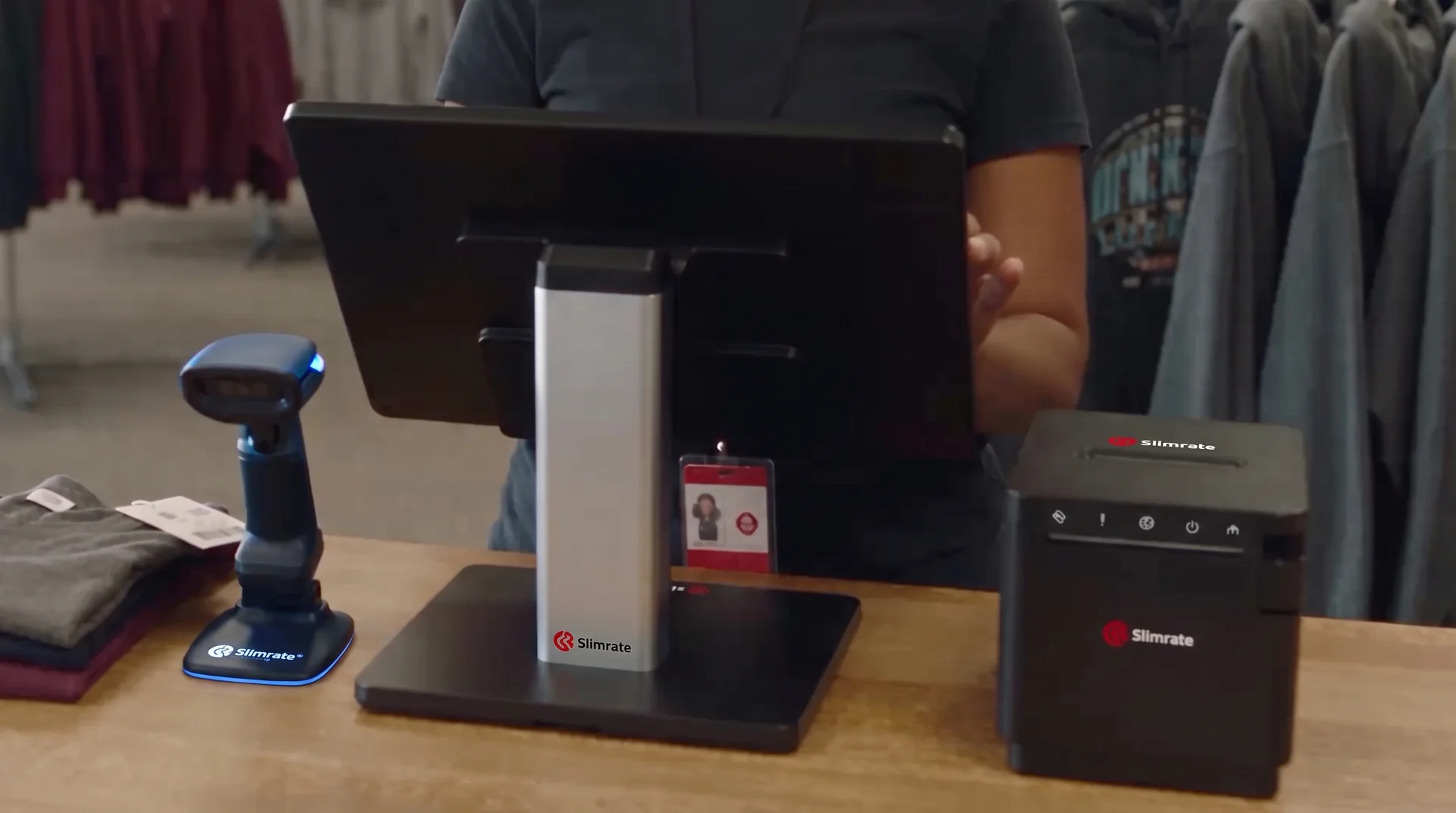
Retail POS built for stores
Scan, sell, and restock from one system. Checkout, inventory, payments, customers, hardware, and reports for stores of any size.
A store register has to find the product, take the payment, and move the stock count in one motion. Slimrate does that from a barcode scan, and reports what sold, when, and to whom.

Built around retail workflows
Fast checkout
Scan or tap the items, take the card, print the receipt. The line keeps moving when the store fills up.
Explore fast checkoutInventory management
Stock levels move with every sale. See what is running low before the shelf is empty.
Explore inventory managementProduct scanning and lookup
Desktop, wired, and wireless scanners from the Slimrate catalog, plus search by name for anything without a barcode.
Explore barcode scannersConnected payments
Card and contactless payments through Slimrate, recorded on the same sale as the items.
Explore paymentsCustomer tools
Customer profiles, points spent at checkout, automatic discounts, and gift cards, attached to the sale.
Explore loyalty and crmReporting
What sold, when you were busiest, and who sold it, built from what the register rings up.
Explore reporting and analyticsCheckout that keeps up with the line
Scan the barcode, tap the quantity, take the payment. Anything without a barcode is a name search away, and the customer sees the total on their own display.
- Barcode scanning with desktop, wired, and wireless scanners
- Search by name or category for unlabeled items
- Customer-facing display with the running total
- Full and partial returns against the original sale

Inventory that moves with every sale
Every scan takes one off the count. Stock adjustments happen in the admin, and the sales by product report shows what to reorder.
- Stock counts that update with each sale and return
- Stock adjustments and product edits from the admin
- Bulk pricing for case and multi-unit sales
- Product lists come in by CSV import

Payments and customers on the same sale
Cards, cash, and gift cards land on the sale; points and automatic discounts give shoppers a reason to come back.
- Card and contactless (tap-to-pay) on payment terminals from the Slimrate catalog
- Cash, custom tender types, and dual pricing when you use it
- Full and partial refunds, comps, and voids with a reason on the audit trail
- Customers earn points on every sale and spend them at checkout
- Automatic discounts: buy-one-get-one, quantity, category, or scheduled
- Gift cards sold and redeemed at the register by card number

Hardware for the retail counter
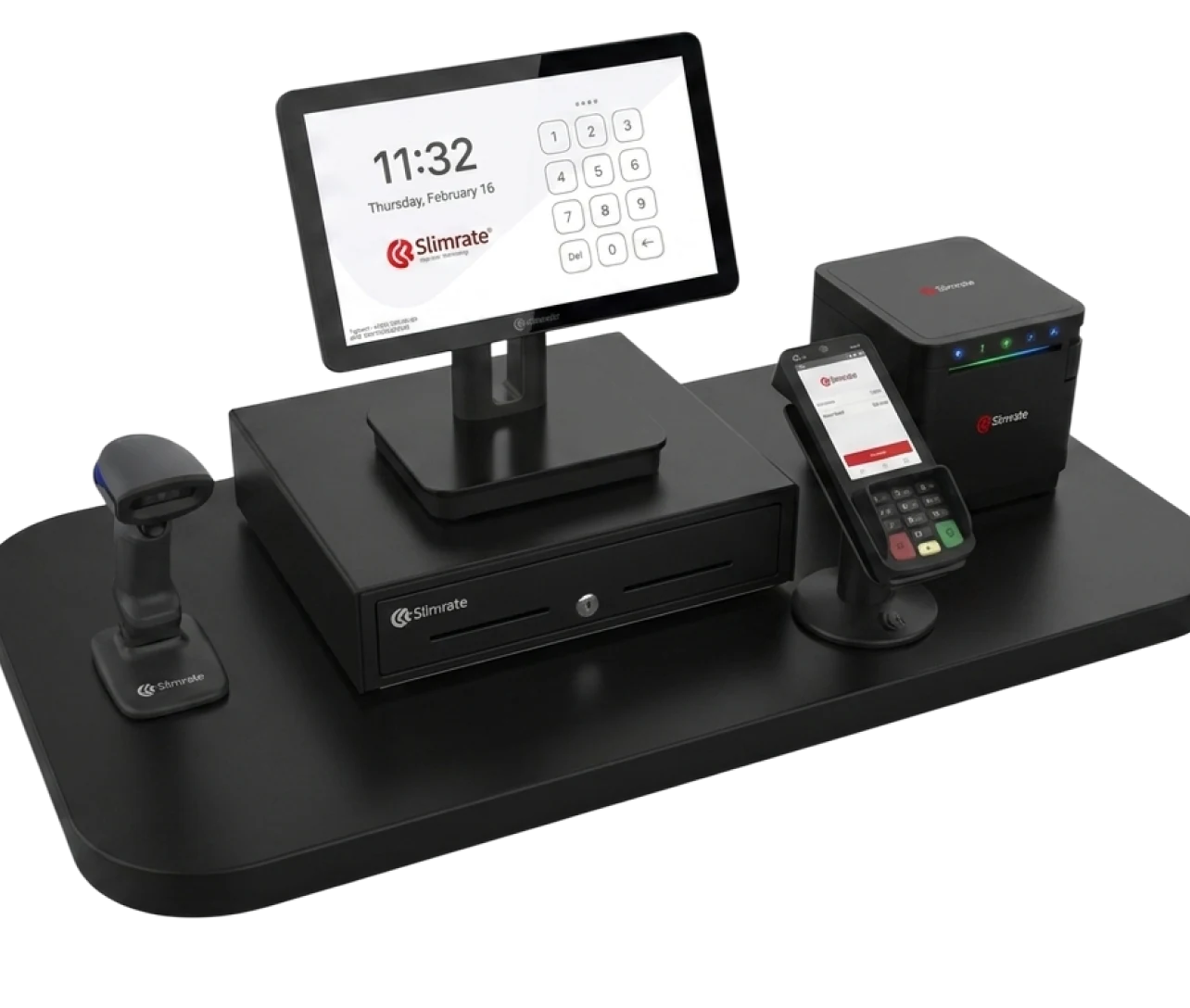
POS terminals, payment terminals, customer displays, receipt printers, barcode scanners, and cash drawers from our own catalog, supplied and installed by Slimrate.
- 1 × POS terminal
- 1 × Payment terminal
- 1 × Receipt printer
- 1 × Cash drawer
- Handheld scanner, as needed
Switching to Slimrate
Setup is done with you, not handed to you. Four steps from first call to first sale.
Tell us how you sell
What you sell, how many registers you run, and how products are labeled today.
We build the setup
Your products, categories, taxes, tender types, and printers are configured by the Slimrate team before the hardware ships. Existing product lists come in by CSV import.
Train the team
Cashiers learn scanning, returns, and customer lookup on your products; the owner learns stock and reports.
Go live with support
The first days run with the Slimrate team reachable; the daily report lands in your inbox at close.
Retail POS questions
Does Slimrate support barcode scanning?
Yes. Desktop, wired, and wireless scanners from the Slimrate catalog connect to the register, and any item without a barcode is found by name search.
How does inventory work?
Stock counts move with every sale and return. Adjustments and product edits happen in the admin, and the sales by product report shows what to reorder.
Can we run more than one register?
Yes. Registers stay in sync over the local network, so a sale started on one can be closed on another, and each register keeps its own drawer and login.
Which payments can we take?
Card and contactless (tap-to-pay) through payment terminals from the Slimrate catalog, plus cash and any custom tender type you set up. Refunds, comps, and voids are logged with a reason.
Can regulars earn rewards?
Yes. Customers earn points on every sale and spend them at checkout. Gift cards are sold and redeemed at the register by card number, and a personal discount can be set per customer.



Ready to build your retail POS setup?
Tell us what you sell and how many registers you run. We will show you checkout, inventory, and payments on a live setup, with a clear price.